CASE STUDY / Industrial equipment distributor
Studio-quality machine photography from an iPhone in a warehouse
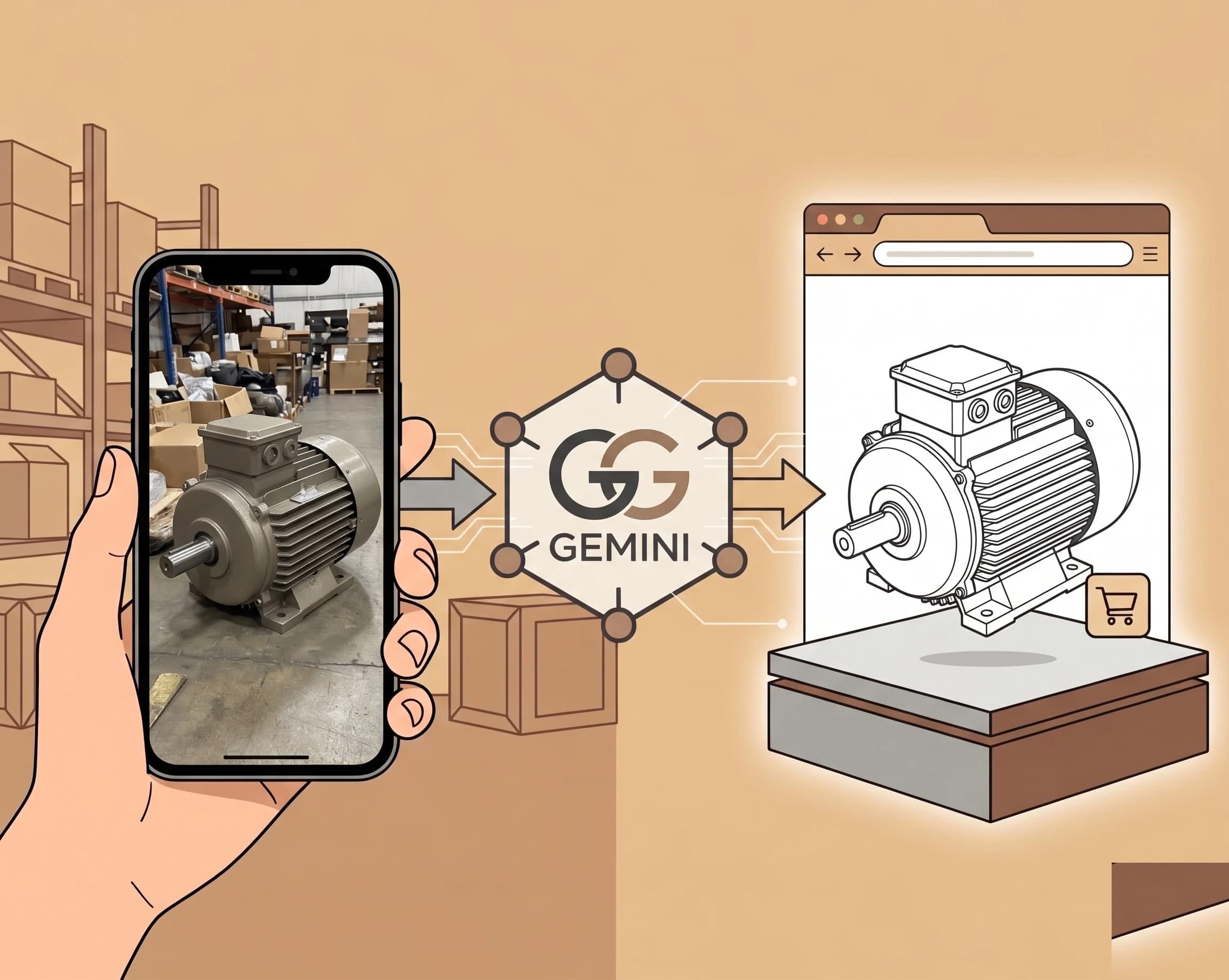
An internal web app that turns iPhone photos of used industrial equipment into clean, studio-quality images ready for the sales catalogue — removing a recurring photographer cost and shortening the time from acquisition to listing.
The headline
An industrial equipment distributor needed clean, listing-ready photographs of used machinery — but the equipment lives in working warehouses, lighting is dreadful, backgrounds are cluttered, and bringing in a photographer for every new arrival was slow and expensive. I built an internal web app: warehouse staff photograph each machine on an iPhone, the app runs the images through an AI processing pipeline, and clean studio-quality images come out the other end.
Context
- The catalogue turns over constantly — hundreds of machines listed at any given time, dozens of new arrivals each month
- Every new arrival needed photographing before it could be listed for sale
- Previous workflow: schedule a photographer → shoot → edit → deliver → upload. Days, sometimes a week or two, depending on availability.
- Photographer cost: a four-figure monthly contract, on top of catch-up shoots before each trade show
- Backlog: a constant pool of machines waiting to be photographed, not yet earning their listing
- Staff in the warehouse already had iPhones; the photos existed already, they just weren't good enough to use
The opportunity
If the AI processing was good enough to replace the photographer's editing step, the whole "schedule a photographer" stage could go away. The bottleneck wasn't the camera — modern phone cameras are extraordinary. The bottleneck was the background, the lighting, and the consistency across the catalogue.
Approach
1. The pipeline
- Image upload from iPhone via a mobile-friendly progressive web app
- Automatic background removal
- Studio-style background composition (consistent across the catalogue)
- Lighting and colour correction
- Resize and format for the storefront
- Output saved direct to the ERP and the storefront's media library — no manual upload step
2. The interface
- Built for one-handed use in a warehouse — not a desktop tool
- Photo capture, preview, retake, submit, done
- No login friction; auth tied to the corporate Google Workspace identity
- Bulk processing for catalogues being prepared ahead of a trade show
3. Quality control
- A spot-check workflow: one team member reviews a sample of each batch before listings go live
- Reshoot loop: if the source photo was unusable, the app flagged it before processing rather than producing a bad output
- Edge cases (chrome, glass, oversized machines) handled with a manual override path that bypassed the pipeline entirely
Outcome
- Time from photo to listing-ready image: days to minutes
- The full monthly photographer contract retired, with the saving redirected into the next AI build
- Several thousand machines processed since launch, with a near-zero reshoot rate after the first month of teething
- Consistent catalogue look across all listings, regardless of which warehouse the machine sits in
- Warehouse staff can list new arrivals the day they land, not the week after
What we learned
- The AI image model was eighty percent of the value — the other twenty was making the capture interface idiot-proof. A great model behind a clumsy form is a tool the warehouse team will quietly stop using.
- Edge cases (reflective surfaces, oversized machines) needed a clear manual override or the team stopped trusting the tool. "When in doubt, route to a human" beats "make the model handle everything."
- The fastest payback in this kind of project comes from killing a recurring contract, not improving an internal process. The photographer cost was visible on a P&L line; saving photographer-equivalent minutes on staff time wouldn't have been.
Stack
- Frontend: Next.js progressive web app — installs to the home screen, works offline, no app store friction
- Image model: A combination of background-removal models with a custom compositing layer for the studio backdrop
- Background processing: Serverless functions on Vercel — pay-per-image, no idle cost
- Storage: Object storage on AWS S3, with signed URLs to the storefront
- Hosting: Vercel for the web app, AWS for storage and queueing
Related capability
This is the kind of focused, ROI-clear AI project that the AI consulting practice exists for — a real bottleneck, a model that solves it, and an interface the team will actually use. Most AI projects fail at that last step.